
Add filter template for milk pickups and tests screen. You can choose from the pre-created template.
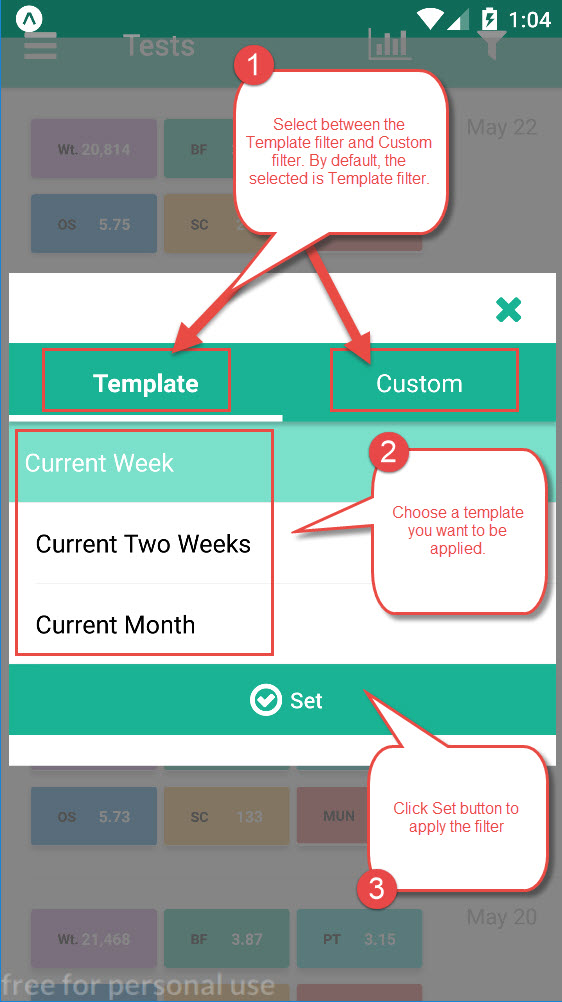
Follow these steps to apply the filter template.
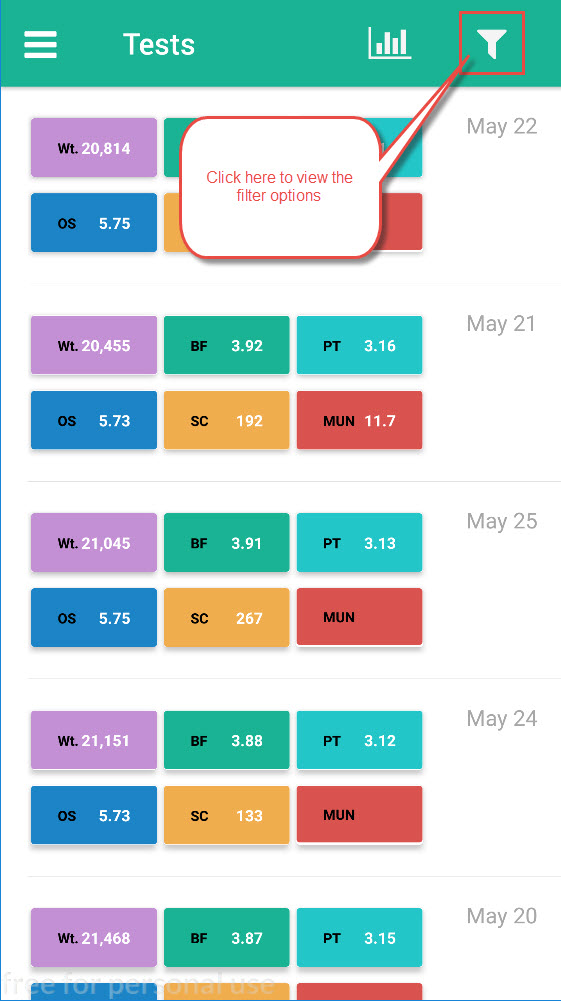
1.Click the filter icon from the Pickups or Test screen
2. Choose between Templated and Custom filter. There are three pre-created template to choose from.
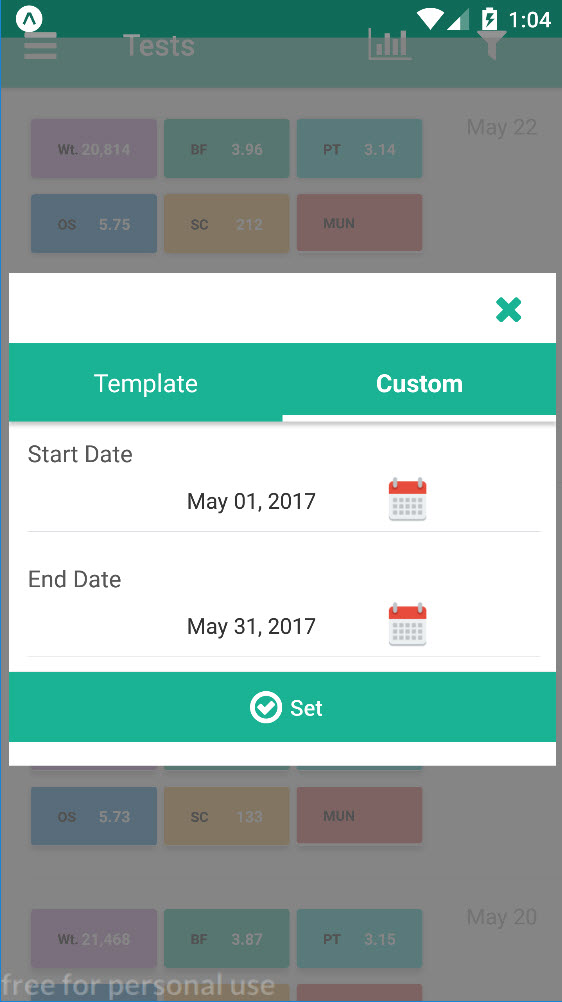
Note: Custom filter is more dynamic. You can choose the start date and end date of data you want to view
Comments
0 comments
Please sign in to leave a comment.