
TotalMilk Hauler offers a passwordless login option that allows you to access your account using a verification code sent to your email or phone number instead of a password.
Step 1: Go to Passwordless Login form
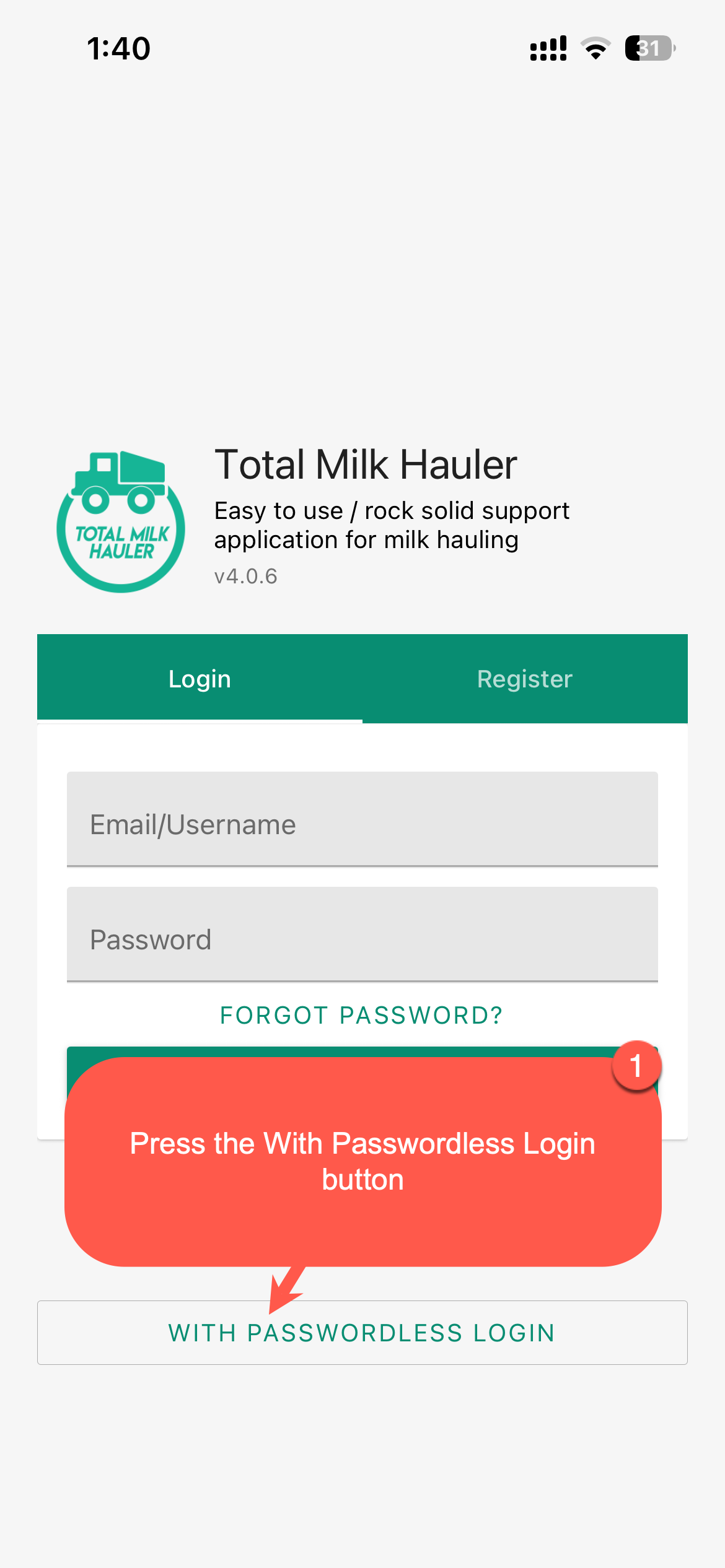
On the TotalMilk Hauler login screen, click the With Passwordless Login button.
Step 2: Enter Your Registered Username or Phone number and send the code
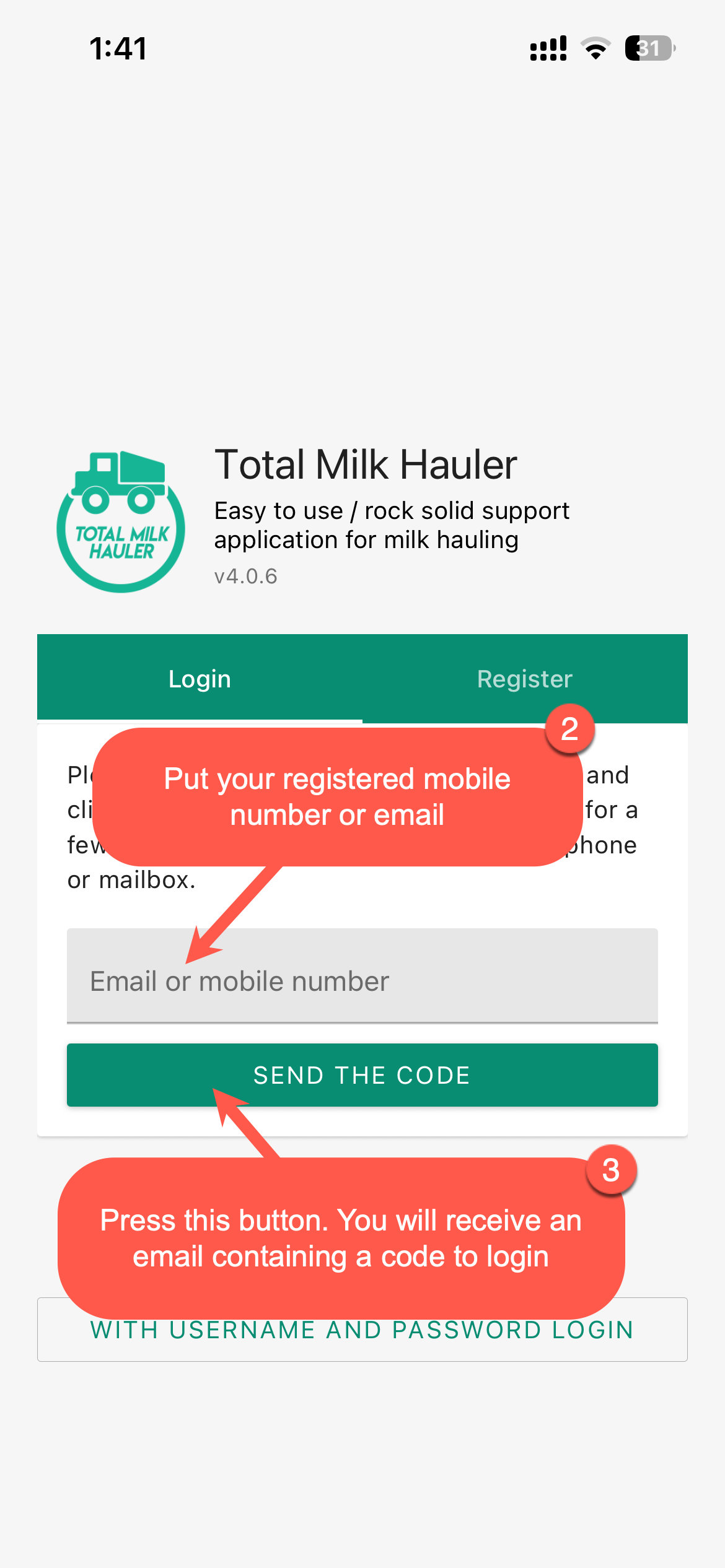
Enter your username or phone number, click the Send the Code button. This will send a verification code to your registered email or phone number.
Step 3: Retrieve Your Verification Code
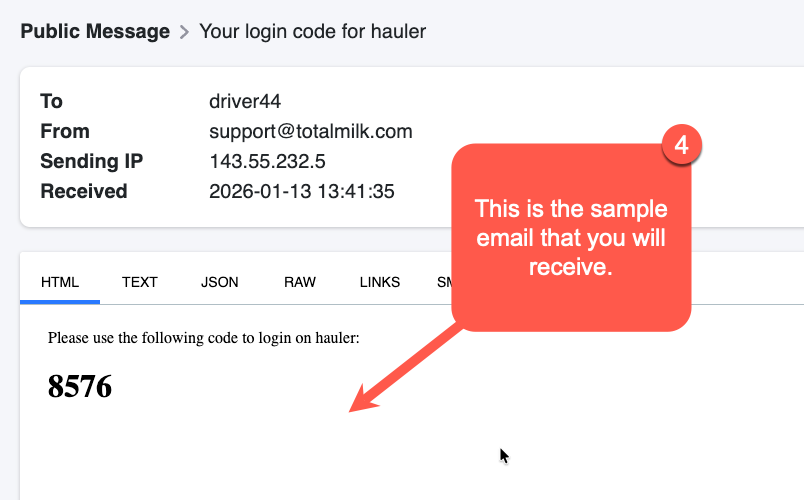
Check your email or SMS for the verification code sent by TotalMilk. The code will be displayed in the message you receive.
Step 4: Enter the Verification Code
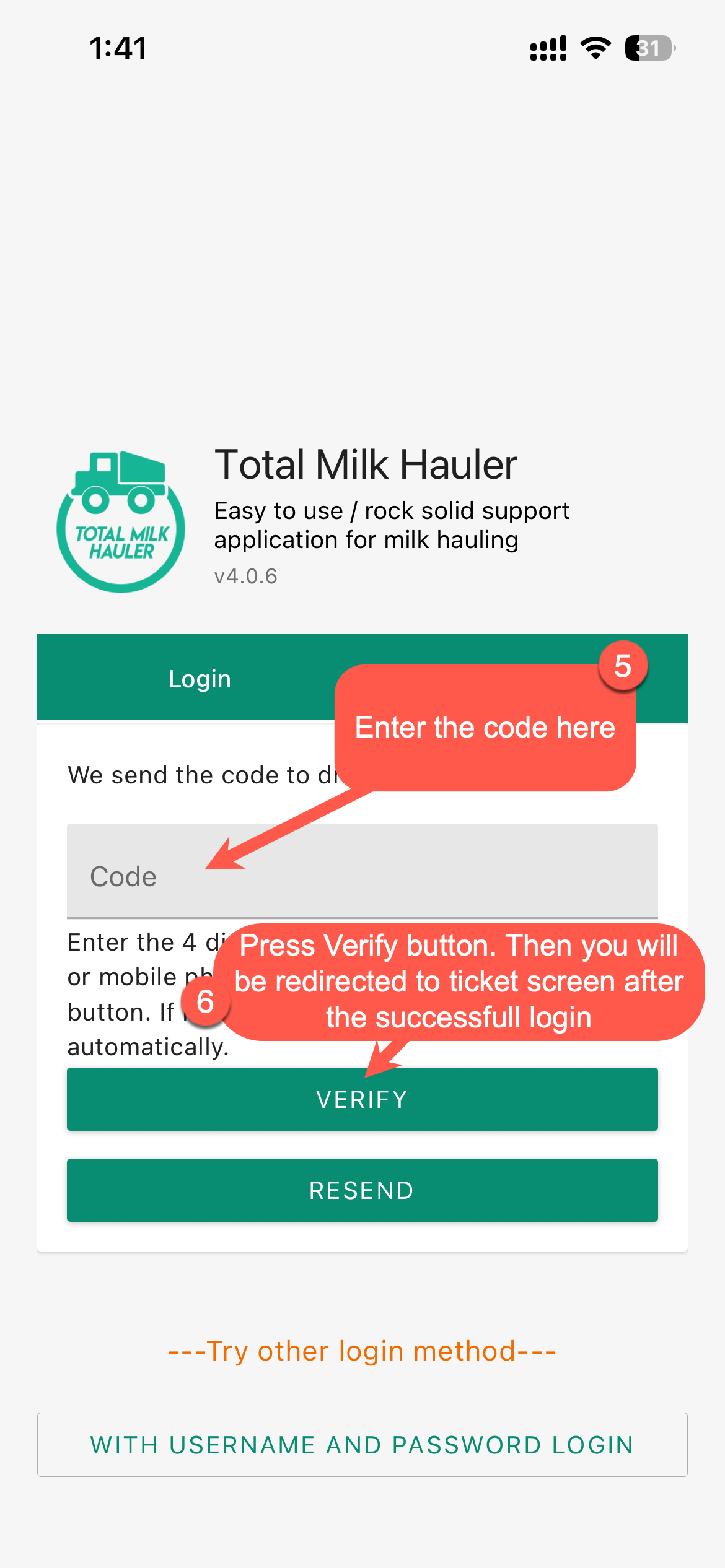
On the login screen, enter the verification code you received in the Enter Code field. Then click Verify to access your account.
Step 5: You Are Logged In
After entering the correct verification code, you will be successfully logged into TotalMilk Hauler and can start using the application.
Troubleshooting
Issue: I did not receive the verification code
Solution: Check your spam or junk mail folder if the code was sent via email. If you expected an SMS, ensure your phone number is correct and has good signal. Wait a few minutes and try again.
Issue: The verification code does not work
Solution: Verification codes expire after a short period. If your code has expired, click Get Code again to receive a new one. Make sure you are entering the most recent code.
Issue: I entered the correct code but cannot log in
Solution: Ensure there are no extra spaces before or after the code. If the issue persists, try requesting a new code and logging in again.
Issue: I do not have access to my email or phone number
Solution: Contact your system administrator or TotalMilk support to verify or update your contact information. They can help you regain access to your account.
Best Practices
- Keep your registered email and phone number up to date to receive verification codes
- Do not share your verification codes with others
- Verification codes are time-sensitive, so use them promptly
- If you prefer using a password, you can still log in with your username and password
- Contact support if you encounter any issues with the passwordless login feature
Need More Help?
Contact support@totalmilk.com for assistance.
Comments
0 comments
Please sign in to leave a comment.